




4 AI agents ready
CMai CLI, Claude Code, Gemini CLI and Kimi CLI come preinstalled; they work with your own accounts.

CMai OS is a licensed operating system installed on an always-on server. The CMai API (one key, all models) is ready in every user’s workspace; Claude Code, Gemini CLI and Kimi CLI come preinstalled. Everyone works in their own isolated workspace, and projects are published on the server’s own domain.
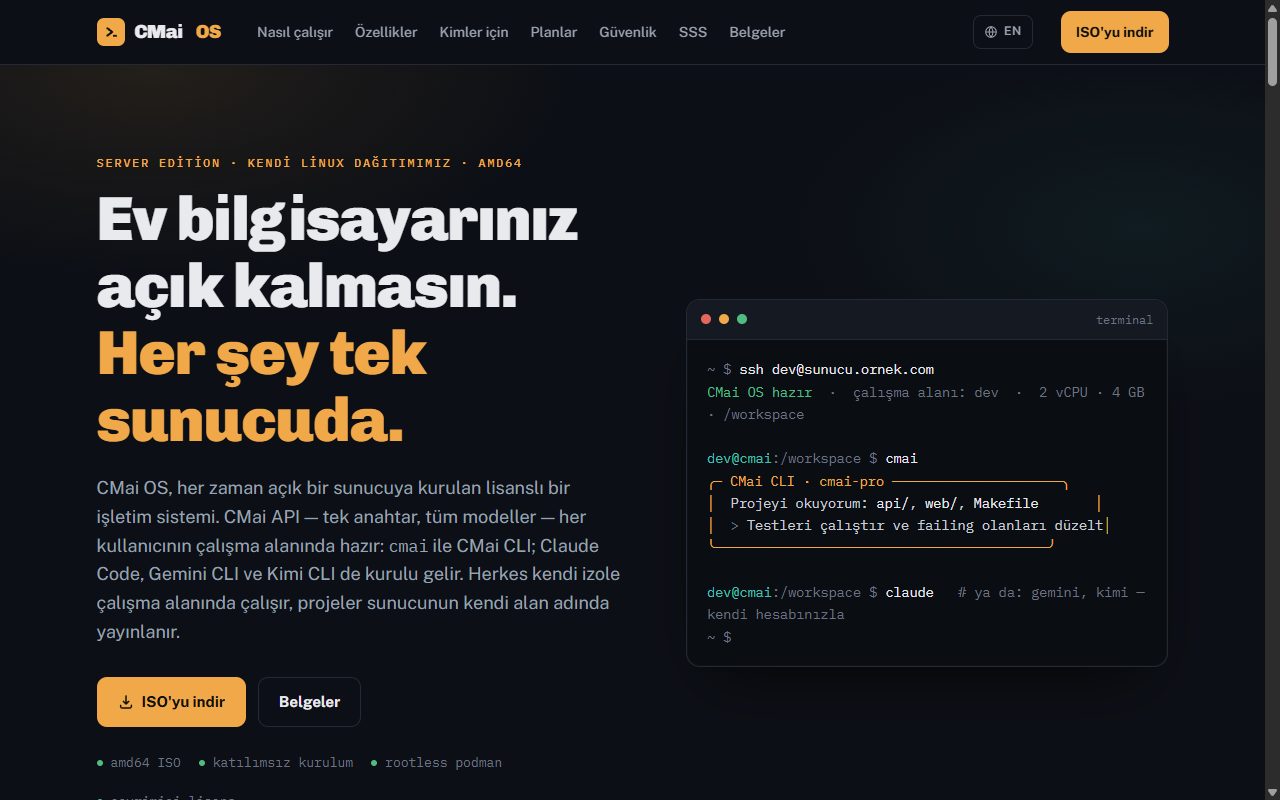
CMai OS Server Edition is CM Apps’ own Linux distribution (amd64), built for AI-assisted development servers. The ISO installs unattended; on first boot, a wizard completed from the browser sets the license key, the CMai API key and the admin account. Each user works over SSH in their own workspace, isolated with rootless podman and bound by CPU/RAM/disk quotas; the cmai command launches CMai CLI, and claude, gemini and kimi are ready as well. Projects are published with an automatic subdomain and TLS certificate; licenses are managed centrally via portal.cmaios.com.
Write the ISO to a USB stick or attach it to a virtual machine; the installation is unattended, takes the entire disk and finishes in a few minutes.
On first boot, use the address and one-time code shown on the console to enter your license key, CMai API key and admin account from the browser.
Drop straight into your isolated workspace with ssh; cmai launches CMai CLI, and claude, gemini and kimi are ready as well.
Your project is published on the server’s domain with an automatic subdomain and TLS certificate; applications are compiled into distributable packages.
CMai CLI, Claude Code, Gemini CLI and Kimi CLI come preinstalled; they work with your own accounts.
One key, all models: ready in every user’s workspace.
Workspaces separated with rootless podman; CPU, RAM and disk quotas.
Projects are published on the server’s domain with an automatic certificate.
amd64 ISO; asks no questions, completes in a few minutes.
The server connects to the license key server; management via portal.cmaios.com.
Let’s evaluate the user structure, integration needs and, if any, options to adapt it to your brand.
It installs on an always-on server (a physical or virtual machine, amd64); there is no need to leave your home computer running.
CMai CLI (with the CMai API), Claude Code, Gemini CLI and Kimi CLI come preinstalled; for Claude, Gemini and Kimi you use your own accounts.
No; each user works in their own quota-bound workspace, isolated with rootless podman.
The license key entered in the setup wizard connects to the central key server; licenses are managed via portal.cmaios.com.